Tag Archives: ayrmesh

Almost The End

It is with heavy heart I write this news: Ayrstone will be going out of business at the end of June. Ayrstone was actually formed in 2007 (with a different business goal). We introduced the first AyrMesh Hub in 2010, and the “Hub2” line started in 2013. I’m proud of all that we have accomplished, but the time has come to fold our tent.

We have tried everything we could think of over the last two and a half years to keep Ayrstone alive, but, unfortunately, none of it has been successful. We just can’t pay the bills any more, and I’d prefer to close up in an orderly way rather than just disappear and leave you in the lurch.

AyrMesh products will continue to just work – the only difference will be how you configure and maintain them. AyrMesh.com will disappear, and we’ll put all the AyrMesh products into “Manual Configuration Mode.” We have updated the products to add a “Manual Configuration” link on the “status” page. I enncourage you to familiarize yourself with the Manual Configuration page and understand how to log into your Hub and change the parameters there. If you’re having trouble with any of your AyrMesh products, contact support today so we can have a look at it. After June 30, there won’t be anyone to talk to.

We have done a lot of work to make sure you’ll be able to continue to use your AyrMesh products successfully. It has always been my goal to make sure no one is ever “stuck” with an AyrMesh products, and that commitment continues even after we exit the market.

What happens now?

Nothing dramatic should happen to your AyrMesh products – they should just keep working. Insofar as most folks seldom (if ever) make changes to their network with AyrMesh.com after the first week or so, it will make no difference to most people. The only change will come if you want to update an SSID or encryption key, or change the channel. We have put together a quick guide to the Manual Configuration on Ayrstone.com, which has links to our more comprehensive PDF instructions.

The article on the front page of Ayrstone.com contains a list of possible replacement products; while there’s nothing that replicates the function of the AyrMesh Hub2 products (Hub2x2, Hub2T) as a mesh, there are good “single” outdoor high-gain, high-power access points available, and good shorter-range, higher-bandwidth meshing access points available (similar to the HubDuo).

It does pain me a little that there’s nothing similar to the Hub2 products on the market any more. That may change – it’s not hard to add meshing capability to an access point (we use the Open80211s package in OpenWRT – anyone else can, as well), but it can be a bit tricky to build something that makes it easy to use. That was the goal of having a “cloud controller” (AyrMesh.com) – to keep all the Hubs, Receivers, and IndoorHubs “playing nicely” with each other.

Reconfiguring

While your products will just continue to work, at some point you may find a need to reconfigure them. To do that, you’ll log into each individual AyrMesh device on your network and use the simple on-device web page to change the settings.

One big warning about special characters!

Since we updated AyrMesh.com a couple of years ago, it has been more accepting of special characters in SSIDs, encryption keys, usernames, and passwords. However, NOT ALL DEVICES ARE AS ACCEPTING in Manual Configuration mode, and some AyrMesh products will “translate” special characters into their URL code equivalents. For example, a username of “[email protected]” will become “bill%40foo.bar” – if you don’t know what has happened, you won’t be able to log in to the device. Similarly, putting special characters in the SSID or encryption passkey will result in an odd-looking SSID and/or the inability to join the network.

To make it even more confusing, some of our more recent products (like the HubDuo) can handle most special characters pretty well, while others cannot. The latest versions of the Hub2x2 and Hub2T, as well as the Hub2x2C can handle most special characters, while the older products cannot.

In general, we STRONGLY RECOMMEND using only letters and numbers in the text fields: SSID, Encryption passkey, Mesh ID, Mesh key, username, and password, when configuring your Hubs. If you uses a special character when you were on AyrMesh.com, that will still work the first time you log into the AyrMesh products; for instance, if your AyrMesh.com username is “[email protected],” you will be able to log into your AyrMesh products using the username “[email protected]” the first time. HOWEVER, once you click the “Submit” button at the bottom of the page, some AyrMesh products will translate the “@” into “%40” and you’ll find it difficult to log back in (unless you remember the URL codes).

We will be moving devices off AyrMesh.com the week of June 20-26. If you check AyrMesh.com and your AyrMesh product is not checking in, it may already be on manual configuration – try connecting to its IP address and logging into it.

Connect those old (and new) devices

If you have AyrMesh products you haven’t been using (for whatever reason), even if they’re brand new, connect them to your router and let them update their firmware. I have been posting firmware updates as recently as last week, so even brand-new products may need to update.

The standard warnings apply: in general, only connect one device to your router at a time; having two Hubs or a Hub and a Receiver connected to your router at the same time may allow them to connect and create a network loop. Recent updates have been made to make the products easier to use with Manual Configuration (and fix a couple of bugs we found).

So PLEASE DON’T HESITATE – do it today!

Other issues

As of the date of this writing, we still have some AyrMesh products on the Ayrstone.com shop available for purchase at deeply discounted prices. IN PARTICULAR, we still have a large stock of ETHERNET CABLES in 50′, 100′, and 200′ sizes. These are all-copper, UV-resistant cables suitable for outdoor use, and we have them marked down below the prices of “Copper-Clad Aluminum” (“CCA”) cables on Amazon.com and elsewhere.

I think it’s an excellent idea to have a few extra Ethernet cables around; networks are getting more important, and the need to connect devices to your network is increasing.

If you can use 5 or 10 or more cables, please get in touch and we’ll give you an even bigger discount.

Note that, since they’re pure copper wiring, they’re heavy; hence, they’re more expensive to ship than you might realize. All the more reason we’d like to get them out of our hands and into yours!

I’m going to try to have one more update of this blog before the 30th.
The Foreign Router Ban and Why We’re Not Worried

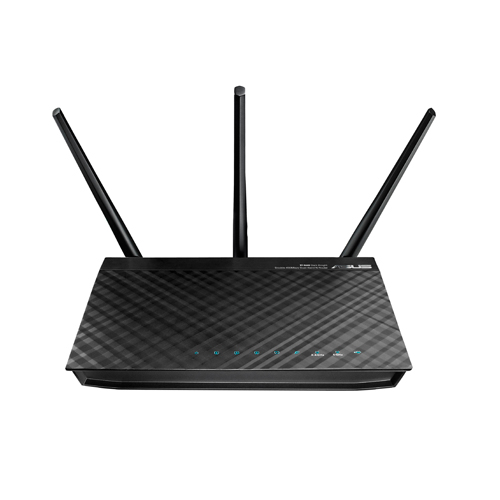
An old Asus router; you may not be able to get a new one.

Yesterday, the Federal Communications commission prohibited the sale of “new, foreign-made routers” in the U.S. Wired ran a good explainer with links to pertinent places on the FCC web site.

As I have explained to many people many times, the AyrMesh Hubs are not routers – they are just WiFi access points and associated equipment – none of them do any routing, filtering, or throttling. Furthermore, they have all been previously approved by the FCC – they are not “new” models. So, as far as we can tell, they are not covered by the FCC ban.

To review briefly, the concern the FCC has is that foreign-built routers have foreign-built firmware, which can contain “back doors” that could be used for stealing data or disrupting networks. There have been “worms” in the wild that have infiltrated consumer-grade routers (and enterprise-class routers, I should add…) and caused problems, so it’s not an entirely crazy idea.

The AyrMesh products, first, are not routers and should NEVER be connected directly to the Internet – they should only be used on a private subnet behind a router. Second, the AyrMesh products are all based on a version of the open-source OpenWRT Linux distribution, which is constantly under review for security bugs, and which we review before we include it on our products. Finally, of course, we’re not going to put in any software that might exfiltrate your data or cause network instability. So, even though the hardware (electronics and plastic cases) are manufactured overseas, we have complete control over the software (that actually makes it work). I am not worried about AyrMesh products being prohibited currently.

Of course, future FCC decisions are uncertain. We have AyrMesh Hubs and Receivers in stock now; if you have been considering getting an AyrMesh network for your farm, there’s no better time than the present.

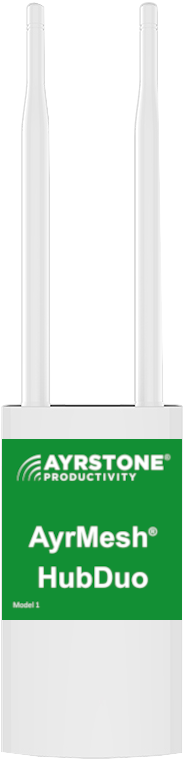
Introducing the new AyrMesh HubDuo!

We are very pleased to introduce a new generation of AyrMesh Hub – the new AyrMesh HubDuo! If you order between now and October 31, you can get $30 off our special intro price of $349.95, bringing the price to only $319.95 – please use coupon code “hubduointro” for the extra discount.

The HubDuo is the first AyrMesh Hub to feature dual-band WiFi – using both the traditional 2.4 GHz. band and the 5.8 GHz. band for higher bandwidth combined with the same long range as the rest of the AyrMesh Hubs.

The HubDuo uses a single SSID (network name) for both the two WiFi radios. The result is that you can connect to the 5.8 GHz. WiFi when you’re close to the Hub and get up to 100 Mbps bandwidth (speed). Then, when you move away from the Hub, your device will automatically move to the 2.4 GHz. WiFi, where you can get up to 65 Mbps, with bandwidth reducing as you move further away.

The ultimate range of the Hub is similar to the rest of the AyrMesh Hubs, because it still has high-gain antennas to “hear” very faint signals from a long distance away. So there’s really no tradeoff – you get the same long range as the rest of our Hubs with the extra benefit of blazing-fast speed at short range.

The other main benefit of the AyrMesh HubDuo is that the output power can be adjusted so the Hubs can be placed much closer together than our other Hubs. Whereas the Hub2x2 and Hub2T need to be generally be placed at least a mile apart (so they don’t overpower each other), the HubDuo can be places as close together as a few hundred yards with proper adjustment. Just contact Ayrstone support if you need to place the Hubs less than half a mile apart and we’ll adjust the power.

The HubDuos use standard 802.11s meshing, so they will mesh with existing AyrMesh Hub2 devices (Hub2x2. Hub2T, Hub2x2C, and even the Hub2n). The HubDuo makes a great replacement Gateway Hub for your existing AyrMesh network. The HubDuo also makes use of the same external housing we used for the AyrMesh Hub2x2C, making it compact and easy to install and maintain.

We have plans to offer additional features for the AyrMesh HubDuo to give you even greater flexibility in deploying them, including the option for even more “dense” installations. Please watch this space for news – the new generation is going to open new frontiers in wireless farm networking.

The Robots are Coming! The Robots are Coming!

Silly robot image
One idea of an autonomous farm…

Every week there seems to be an announcement about autonomous farm equipment – John Deere acquired Blue River in 2017, and then Bear Flag Robotics last year, and now they’re, essentially, announcing Bear Flag’s products as their own. Meanwhile, Case bought Raven Industries last year, after Raven had acquired DOT Technology and SmartAg. Even smaller, specialty-crop companies are getting into this, like GUSS and Fieldin.

The case for autonomous rolling stock is obvious – if you’re not driving the tractor/sprayer/combine/whatever, you can be somewhere else doing something else valuable. And there are times you would really rather have the robot driving…

I have considered tillage to be the activity most ready for automation, so I had applauded Bear Flag’s emphasis on tillage and Deere’s decision to acquire them and offer an autonomous 8R for tillage. I’ll be interested to see how this goes… it’s coming at a time when no-till or strip-till is increasingly popular, but there’s still a lot of the world still digging up fields.

Planting and harvest are difficult, complex, and time-sensitive tasks, so I expect they will be the last to be automated, but that still leaves spraying and cultivating. GUSS out here in California is already out spraying orchards, and, again, I think Deere was smart to acquire Blue River for their vision-based weeding system. It’s not ready to be a blockbuster product this year, but I can certainly see a future where weeding (and possibly other pest control) is done by a self-driving machine. The autonomous farm won’t be a complete “rip-and-replace” operation – I expect we’ll see it come one piece at a time, slowly replacing human labor, just as it has for the last 200 years.

In truth, once you are liberated from having to drive the machine, of course, you can actually employ more machines. You can have multiple large machines, like the Deere 8R tractor or the Raven (now Case) Omnipower platform, working in different fields, or you could conceivably start replacing some of them with swarms of small, nimble machines like the prototype Fendt Xaver seeder or the Australian Swarmfarm sprayer.

However, having multiple machines in the field requires that they be able to communicate with each other and, possibly, with a central server. That communications must be both low-latency (to avoid delays and collisions) and high-bandwidth (to ensure that they can “speak freely” – at times they’ll need to communicate a lot of information). There are a lot of pundits out there telling us that “5G will solve everything” – and the technical specs tell us that could be absolutely true. That leaves only one important question: do you have 5G on your farm today?

If you’re in the 95{6d84e97b9d70a88c7827a68919bdc428927c26a1a62ff29e804188d6763d834c} or so who answer “no” to that question, you might want to consider another solution – a solution that might even be better. Meshing WiFi was originally designed to enable “Mobile Ad-Hoc Networks” or “MANETs” – exactly what these devices are using in the field. Instead of waiting for a carrier (or several – many farmers I know require two or more phones, because one carrier covers one part of the farm and a different carrier covers another) to come and plant a 5G network on your property, you can start establishing a WiFi network across your property using AyrMesh Hubs and AyrMesh Cab Hubs for your vehicles.

The advantages of using WiFi include:

  • You control the network: what gets covered and who gets to use it
  • It uses your existing Internet connection – no extra charges
  • It connects to your existing LAN – you can put servers on your network so data need not leave your farm
  • It’s standard, so it works with everything, from your laptop to cameras to low-cost soil sensors and controllers… including robots
  • It will get better with time – new versions of WiFi will bring advantages.

This is an exciting time for farming – things are going to change pretty quickly, and there will be real advantages for those who adopt new technologies. The AyrMesh network provides a “backbone” that allows you to adopt those technologies easily, and we’re eager to work with the companies that are producing these new technologies to maximize the value they bring to farmers.

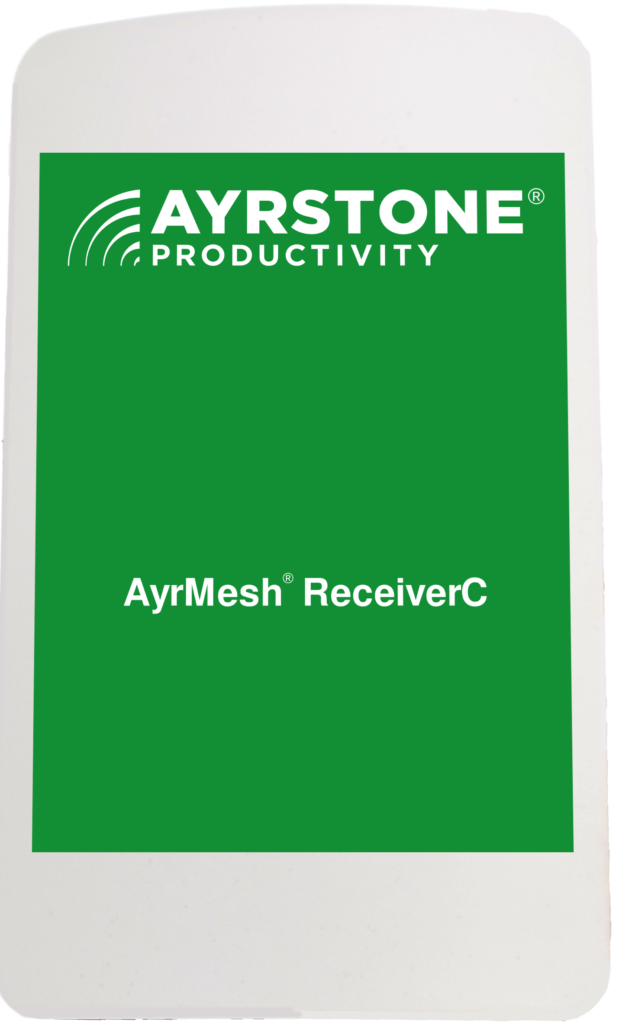
Introducing the new AyrMesh ReceiverC

We are very proud to introduce the second member of our new “Compact” product line – the AyrMesh ReceiverC.

This new Receiver combines most of the power of our “regular” Receiver with a much smaller form factor. It performs at least as well as the “big” Receiver at distances under 1 mile, and still works well at distances up to 2 miles from the nearest Hub.

We were motivated to bring out the AyrMesh ReceiverC by observing that the vast majority of our customers were mounting AyrMesh Receivers within 1 mile of the nearest AyrMesh Hub, and the power from the AyrMesh Receiver was actually overwhelming the AyrMesh Hub. While we have the ability to reduce the transmit power of the Receiver (and the ReceiverC, by the way), the higher-gain antennae on the Receiver sometimes made it impossible to put it on outbuildings very near the Hub.

The ReceiverC is actually a more flexible version of the AyrMesh Receiver, and, as an added bonus, actually is a little less expensive. Please take a look at it for your next AyrMesh addition.

Announcing the New AyrMesh Hub2x2C

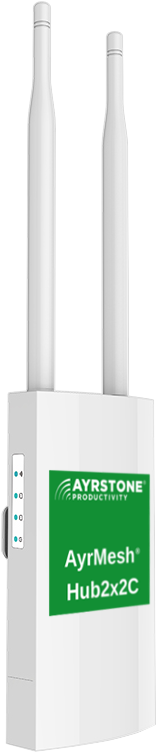
AyrMesh Hub2x2C

We are very proud to announce a new product – the AyrMesh Hub2x2C.

The Hub2x2C is something of a departure for us – a more compact, slightly lower-power Hub with lower-gain antennas, built not for absolute maximum range but to provide continuous WiFi for smaller to medium-sized rural operations.

The AyrMesh Hub2x2C is a response to a problem we have been seeing from our customers: the ability to put Hubs 2.5 miles apart is great for covering a lot of acreage, but the “normal” Hubs don’t work well if they are LESS than 1 mile apart – they overpower each other. However, at 1 mile or more apart, the Hubs are really providing “pools” of WiFi around them, because lower-power devices may only have a usable range of a few hundred yards. There are frequently areas between the Hubs that are, effectively, uncovered for a lower-power device.

The new AyrMesh Hub2x2C can be placed half a mile apart, meaning that even a device with a maximum range of 400 yards can have continuous coverage, passing cleanly from one Hub to the next at the extent of its range.

When we first developed the AyrMesh Hubs, the predominant WiFi device was a large, sturdy laptop, with a “normal” strength WiFi radio and fairly large (although hidden) WiFi antennas. We were actually surprised at how far the Hubs allowed a device like this to communicate – typically half a mile, sometimes further.

As WiFi cameras came out, they used similar WiFi adapters as laptops and generally had similar range. Many had (and still have) removable external antennas that can be replaced with higher-gain antennas to even longer range.

However, now the predominant WiFi device is the smartphone, which uses a lower-power WiFi radio to save battery power, and has smaller antennas to minimize their size. And, on top of that, we’re seeing a new generation of “truly wireless” cameras run off batteries – again, using lower-power WiFi radios and frequently without an option for a higher-gain antenna. While a standard laptop might be able to use the Hub from half a mile or more away, these low-power devices will typically only have about half that range – 400 yards or so.

In the fields of a large farm, the problem of limited WiFi range is solved by use of the AyrMesh Cab Hub2 – the Cab Hub2 is easily fitted to tractors, combines, sprayers, pickups – even utility vehicles – to keep the vehicle and occupants in touch with the stationary Hubs.

On smaller farms and rural businesses, however, workers are frequently on foot, so the Cab Hub is not very practical.

The new AyrMesh Hub2x2C Hubs can be placed as close as 800 yards apart (even closer in some instances – we can reduce the transmit power) to completely cover an area in WiFi. Note, however, that they can still be positioned up to 2 miles apart (with reduced bandwidth), and you can still put up to three “circles” of Hubs around the Gateway Hub. So the new Hub2x2C can still be used to “light up” thousands of acres.

One question that has come up is the range from the new Hub to “ordinary” WiFi devices – the answer is that, at least in our testing, it is unchanged relative to the “big” Hubs. The range to phones, tablets, laptops, etc. is primarily determined by the transmit power and antenna quality of the device, not the Hub – we actually found no measurable difference between the performance of the Hub2x2C and the Hub2x2 and Hub2T for WiFi – the only real difference is in meshing with other Hubs.

Please have a look at the new Hub2x2C – it’s a great option for most rural WiFi users!

IP cameras – an update

Cameras!We do occasional questionnaires and surveys to determine what our users want to do with their outdoor WiFi systems, and “security” and “cameras” have consistently been at the top of the list. So every few months I buy some new cameras and test them out here in the lab. I want to share with you my notes on the cameras we have sitting around here and what we’re still looking at. Spoiler alert: we haven’t found the perfect camera for farm/ranch security use yet.
The first category is “traditional IP cameras” – these are cameras that are pretty much self-contained and have more or less standard interfaces. They are “stand alone” devices that come up on your network and work. They are (mostly) very easy to integrate into an existing security system or home automation system, because they use standards like ONVIF and RTSP. These all require constant power, usually via a “wall wart” power supply, although some use Power over Ethernet (PoE).

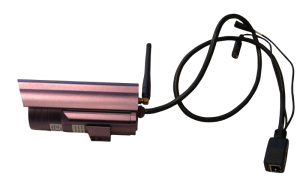
Cheap Ebay Camera

Foscam cameras – these are simple, older IP cameras with VGA (640×480) resolution and WiFi. There were also many clones that were similar and used the same firmware, available cheap on Ebay. They aren’t available any more, as far as I know, and they’re quite outdated, the picture quality is not good, but they were very simple to use. You might still find some clones on Ebay, but I wouldn’t bother given the choices that area available now.

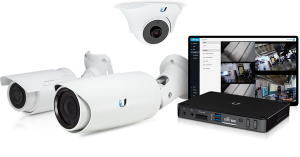
Ubiquiti Cameras and NVR, courtesy of Ubiquiti Networks

Ubiquiti AirCams – I used to have a couple of these, but I have never found a way to use them effectively. Ubiquiti created a whole “system” with an NVR and cameras, but it was (in my opinion) good but never great. Their cameras didn’t do WiFi (all wired), and I lost interest in them. Apparently Ubiquiti did, too, as they seem to have discontinued the entire product line. There are still a lot of them available online, and they are a good choice for a building with Ethernet infrastructure.

Axis indoor camera

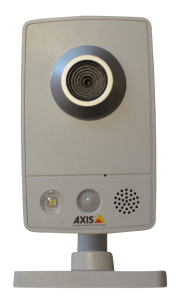
Axis M1030 and M1031 cameras – Axis products are generally considered the “best” IP cameras available, but the low-cost “M” series are the only ones that are WiFi-capable. The models I have are old and have been replaced by updated versions, which are undoubtedly even better. These are my “workhorse” cameras that keep an eye on things inside our lab buildings, but they can’t be used outdoors at all. Axis makes a very broad variety of cameras, but none of the outdoor cameras use WiFi, so they have to be used with an AyrMesh Receiver. They are relatively expensive, but very, very good.

Amcrest Camera

Amcrest Camera

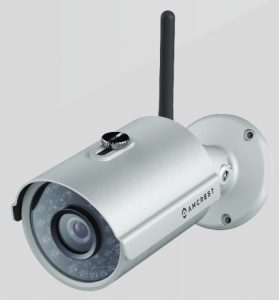
Amcrest cameras – Amcrest came out a few years ago with some remarkably high-quality, outdoor, WiFi-capable cameras. We have had one at our back door for a couple of years now, and it has been absolutely flawless and has a very nice picture. They are comparable to the low-end Axis cameras at a much lower price; in addition, they are outdoor and WiFi-ready. They use ONVIF and standard RTSP, so they are relatively easy to integrate into an existing NVR and/or security system. These are generally my “go-to” cameras – I recommend them quite a lot. The only shortcomings are that they are “traditional” IP cameras, requiring constant external power, so they’re not easily deployed away from a power source. However, they are my absolute favorite “traditional” IP camera for use where there is a source of power. You can easily buy them on Amazon.

Vivotek camera

Vivotek IB8369A camera

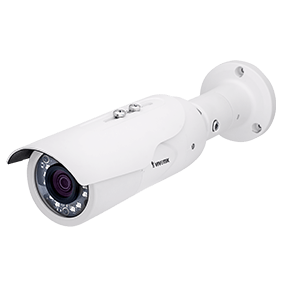
Vivotek – I have a nice outdoor Vivotek IB8369A camera. It’s a very nice camera, and Vivotek has a very large line of very high-quality cameras. I was interested because it was one of the first cameras I had seen that had more advanced “object detection” capability – much more accurate than the algorithm in most cameras at detecting people and animals moving into the scene. And it works well, but they do not make any WiFi-capable cameras. So the Vivotek has remained connecte to our network, but I don’t generally recommend them, especially now that advanced object detection is becoming available on other cameras.

The second category is “App-centric Cameras” – cameras that depend on an app to provide the “brains” of the camera.

Dropcam

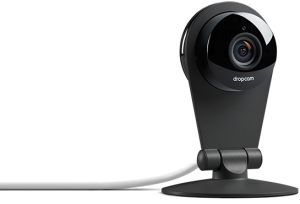
The first of these was the “Dropcam,” which was acquired by Nest and Google. I was an “early adopter” of the Dropcam, later to become the Nest camera, and I found it to be very handy. However, it did not integrate into any home security system (until Nest introduced their own), they did not introduce an outdoor camera for years after the first, indoor camera, and the only way it can be used to detect motion and provide alerts is by paying a monthly fee to Google. Ring (now part of Amazon) came out with similar cameras, with similar shortcomings.

Wyze Camera

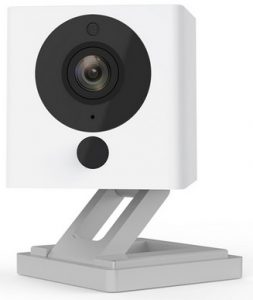
I bought a Wyze camera soon after they came out because I was intrigued by their price point: $20 for a good, simple, indoor camera, or $30 for one with pan-and-tilt capability. And I have been delighted with them: they can do motion detection and alterting, and you can easily access them through the very good Wyze app. They use a micro-SD card to store video on the camera, so you don’t have to have a subscription. They are currently my “go-to” for simple indoor cameras (e.g. folks who just want to see what’s going on in their house when they’re gone). They have introduced an outdoor camera, but it really belongs in the next category.

Sim-Cam

Sim-Cam

I also got a camera that touts itself as being much more capable in terms of locating motion: the SimCam Alloy 1S. This is a camera that uses a Passive InfraRed sensor to detect movement, and then uses advanced software techniques (which they call “artificial intelligence”) to identify people and other items in the camera’s view. So far, it has identfied me, the dog, and the cat next door as “person,” so I am not sure how well the person identification works. It’s a good little camera, and they have introduced a battery-operated indoor version. If they introduce a battery-operated outdoor version with a solar panel, I’ll certainly want to look at it.

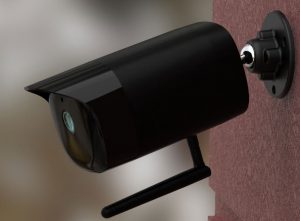
The third category is “Battery-operated cameras” – these are app-centric cameras that can be installed remotely, without a power outlet. This is a very tricky category – there are a fair number of variations on this theme, but they are (so far) none that “look” like standard IP cameras. All are app-dependent, but most of them use local storage to avoid having to use “the cloud” to store video after a motion detection event. In order to minimize battery usage, they depend on a Passive InfraRed (PIR) sensor to detect movement, which then turns the camera on until the movement is done. You can get alerts through the camera’s app, and then access the video stored on the micro-SD card on the camera itself. However, none of these are currently capable of being integrated with a “traditional” security system, although some are able to integrate with popular home automation systems like Alexa and Google Assistant.

Reolink Argus

Reolink Argus

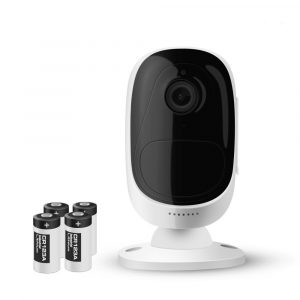
The first camera I used in this category was the Reolink Argus, which runs on four small “CR123” batteries. I was delighted with this camera for about 3 weeks (I had it mounted out where I was having some critter troubles, and it captured lovely video of a rat running around). I replaced the batteries, and, about 3 weeks later, it died. I then got some lithium 16340 batteries and a charger (the camera requires four). They lasted about 2 weeks between charges, and I was starting to get tired of changing the batteries when it had another problem: the latch holding the micro SD card broke, so it would no longer store video.  It does not integrate with any “normal” security system, and it doesn’t have a way to integrate other power sources (e.g. a solar panel to keep the batteries charged), so it is currently sitting on a shelf.

Inexpensive Chinese camera

Mail-order camera

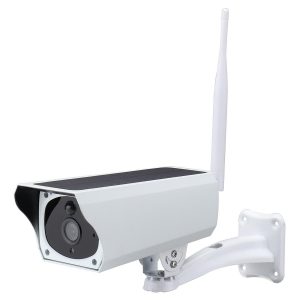
I then saw a relatively inexpensive solar-powered camera on Aliexpress.com and decided based on the specifications to give it a try. There were two immediate downsides: first, it shipped with incredibly bad batteries – they died and would not hold a charge after only 2 days. I replaced the batteries with known-good 18650 batteries and it has worked fine ever since. The second problem is that it depends on an app which is published by someone who is unknown (at least to me) and does not seem to be of the highest quality. That said, it has been working pretty reliably for a few months now.

Reolink Argus Eco

Reolink Argus Eco

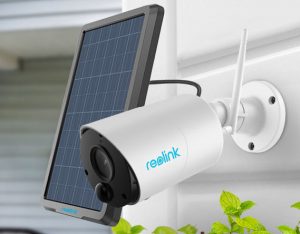
Reolink then released their Reolink Argus Eco, which, when paired with the optional solar panel, is functionally very similar to the camera above. I thought it would be interesting to compare and contrast with the “generic” camera above. It was a little more difficult to mount, since the camera and solar panel are separate, but worked essentially the same. The app comes from Reolink, which I found encouraging.

As noted, the performance of these two cameras is very similar. When they have a tight view of a somewhat secluded area (e.g. looking at a door from across the yard) they work very well – they alert every time someone walks through the scene with very few false alerts. When they are looking at a wider area with a lot of different things in the picture, they both generate a lot of false alerts. For instance, I have the Reolink in my brother’s front yard, looking at his cars in the driveway, and I get almost constant alerts from it when the wind is blowing, because it “sees” the branches of the trees moving. I had tested the inexpensive Chinese camera in his back yard and saw the same problem. I put the inexpensive Chinese camera in my back yard and pointed it at the back door, however, and it worked perfectly.

There’s not a single camera I can recommend without reservations. The Amcrest cameras are very good traditional IP cameras, and they integrate well with many traditional home security systems, but they require constant power and careful consideration around IP address planning (including router configuration) if you want to use them with an NVR or from outside your network.

The Wyze indoor cameras are so good and so inexpensive that they’re definitely my current choice for indoor cameras if you don’t need to integrate in with a traditional home security system. Their app is very good, and provides good alerts on motion, as well as good “on-demand” viewing. Unfortunately, they recently introduced an outdoor camera that, due to its design and the reviews I have read, I’m going to decline to test. They are going in a lot of directions right now, and not all of them will be successful, and I hope they “double back” and build a good, simple, outdoor solar-powered camera without the complications of the “Gateway module” and yet another wireless network.

Similarly, I like the Reolink Argus Eco for use in outdoor locations where there’s no power. Just turn off the motion detection and notifications if you need to use it in an area where there’s likely to be a lot of extra motion due to wind or other factors. There are a huge number and variety of similar cameras coming out of China – perhaps we can modify one or more of them to optimize it for rural use.

I’m going to keep looking and testing cameras here with an eye toward what works on the farm or ranch. Of course, I’m always eager to hear about what you have found, what you are using, and what you’re not using any more (successes and failures). Next up for me is the “EyeCube” – I’ll let you know how it goes.

Interesting proposal from our friends at Land O’ Lakes

We were intrigued and excited by a recent press release from Land O’ Lakes announcing that their retail operations would be installing WiFi for the use of their customers. In the best of times the rural ag retailer can be a lifeline for local farmers; in these difficult times, offering services to help local farmers and their families keep connected and work effectively, even if remotely is absolutely commendable.

We salute the Land O’ Lakes leadership and stand ready to assist any of their affiliated retailers in deploying WiFi on their rural locations.

Whether you’re a farmer needing to have connectivity in the farm office (and perhaps share your connection with a neighbor in need) or a rural business wanting to help your employees and rural communities stay online, Ayrstone can help. Just drop us an email at [email protected] and we’ll work with you.

It’s Back! Part 3 – The AyrMesh Cab Hub

AyrMesh Cab Hub
Ayrstone AyrMesh Cab Hub2

We are pleased to announce the availability of the new AyrMesh Cab Hub2, designed for use with a wide variety of farm equipment: tractors, sprayers, spreaders, harvesters, trucks, utility vehicles – just about anything that rolls and has a 12 volt utility plug.

The AyrMesh Cab Hub2 is a variation of our AyrMesh Hub2x2 design, with two high-gain magnetic mount antennas to provide MIMO (Multiple Input, Multiple Output) for high bandwidth and better signal integrity.

This new model of the AyrMesh Cab Hub combines the best qualities of our previous model of the Cab Hub – ease of setup and use – with improvements to make it even easier to set up, as well as significantly better overall performance.

Cab Hub mounted in cab

We have been trying to bring out a MIMO version of the Cab Hub for quite a while, but we kept running into problems with the radios we were trying to use. This radio, however, passed all our tests with flying colors and has been rock-solid.

Because it is based on the same weather-resistant design as the Hub2x2, the Cab Hub2 can be used on enclosed cab machines or machines without a cab – open-cab tractors and even utility vehicles and ATVs.

AyrMesh Cab Hub antennas on top of ROPS on open-cab tractor

The Cab Hub connects with the stationary Hubs in your AyrMesh network and provides both WiFi and Ethernet connectivity to your vehicle and the area around it. It even connects with other Cab Hubs to extend your WiFi network where you may not have stationary Hubs.

As Machine-to-Machine or M2M communications becomes increasingly important, the Cab Hub2 provides a simple, high-bandwidth, reliable way to connect vehicles to each other and to external servers, on the farm or in the cloud. Meshing WiFi is faster and more reliable than cellular, and available anywhere it’s needed without carriers or subscription fees.

AyrMesh Cab Hub2 board for integration in new vehicles

As autonomous farm vehicles become available, M2M communications will become even more vital to farm operations. For that reason, we are also offering the Cab Hub2 in OEM packaging for integration into new autonomous platforms and products. The product is available at a board level up to the complete product, according to the integrator’s needs.

We firmly believe that meshing WiFi is the only communications solution that enables autonomy on the farm – please contact us today to talk more about your autonomous solutions and needs. At the beginning of this article I said the Cab Hub is good for anything that rolls – but we’re talking to folks who make things that fly, too!

It’s Back! Part 2 – The AyrMesh Hub2x2

AyrMesh Hub2x2

After over a year, we are happy to announce the new version of the AyrMesh Hub2x2! The new Hub2x2, just like the older model, offers twice the bandwidth (speed) of the single-antenna Hub2T and Hub2n. However, this new model offers more transmit power along with high-gain antennas for maximum range – the same as the Hub2T.

This new model of the Hub2x2 has the antenna jacks solidly molded into the case for maximum durability, with durable, high-gain antennae very similar to the antenna on the Hub2T.

We strongly recommend the Hub2x2 as your “Gateway Hub” – the Hub connected to your Router as the origin of your AyrMesh network; for Remote Hubs we now offer either the Hub2x2 or the Hub2T.

In our testing, we have found that the new Hub2x2 delivers up to 65 Mbps to a 2×2 client (as tested with a Samsung Galaxy S10), and over 30 Mbps as a Remote Hub 2 miles from a Hub2x2 Gateway Hub, so it’s much more capable as a Remote Hub than the older Hub2x2 model – faster than the Hub2T.

The one big difference between the Hub2x2 and the Hub2T is in the amount of power needed – the Hub2T requires only about 4.5 Watts, but the Hub2x2 needs about 8 Watts. For this reason, we continue to suggest the use of the Hub2T in cases where power is an issue, like a “field Hub” powered by a solar-panel battery pack.

The new Hub2x2 is available right now in the Ayrstone store – please check it out today and let us know what you think!

P.S. the new AyrMesh Bridge was part 1, this is part 2… stay tuned for part 3!

AyrMesh Hub2x2 in Illinois