Category Archives: Farm Networking

Posts specific to farm networking

AyrMesh for Precision Ag – collecting precision data from cab monitors

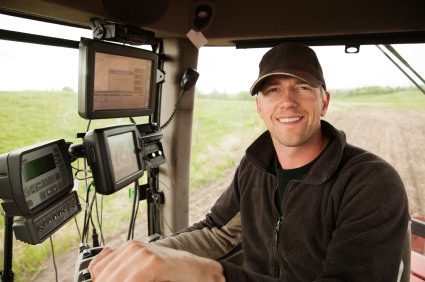
Tractor cab

Lots of data here…

Both of the founders of Ayrstone Productivity have backgrounds in precision agriculture, and one of the motivations we had in starting Ayrstone was to help growers access and use the data generated by all those in-cab monitors by giving them a way to capture all that data wirelessly. The information on those computers is a potential goldmine if you can use it quickly and easily to make smarter decisions about your operation.

When we were doing research about data collection, however, we learned that the vast majority of growers just left the CF cards in the cab monitors all season, because it was just too much bother to pull out the card, bring it in, out it on the computer, dump the data, store it (so you can find it again), and then remember to take it back out and put it back in the monitor before you go out to work again. Some vendors were starting to put cellular modems into their cab computers, but they are expensive in the first place and carry a pretty hefty monthly service fee with them. Furthermore, there are pretty substantial chunks of rural America without good cellular data service (which is usually separate from the voice service signal).

We proposed that a mesh WiFi network (like the AyrMesh network) could be a much more effective way to collect that data so it can be used for decision support. It can be extended wherever it needs to go for data collection, it doesn’t carry a monthly charge, and a WiFi adapter, even a high-power outdoor one, is much less expensive than a cellular modem.

Adam Gittins of HTSag has an interesting and thought-provoking blog post about collecting harvest data off his AgLeader console with the new AgFinity WiFi adapter. He is even able to see his harvest results when he’s not on the combine!

Thank you to Adam Gittins for this image

A little technical talk about WiFi

Adam Gittins has published another terrific post on his Precision Ag Explained blog about problems he ran into getting his AyrMesh network up and running.

It reminds me that WiFi isn’t entirely straightforward, and some explanations of the vagaries are in order.

As Adam points out, interference is potentially a huge problem on WiFi. One problem is that the 2.4 GHz. WiFi band was partitioned out into 11 channels (in the U.S. and Canada), but most of those channels actually OVERLAP each other. There are only THREE DISTINCT CHANNELS: 1, 6, and 11 – all the other channels overlap at least one of these three (and each other). For a good explanation with graphics, I always recommend Wikipedia.

As he points out, if you have your “indoor” WiFi and your “outdoor” WiFi on the same channel, they’ll interfere with each other, reducing the range and bandwidth of both. Even if they are less than five channels apart this will happen to some degree. The AyrMesh network always comes by default on channel 6, so you can either change your home router’s channel to 1 or 11, or change the AyrMesh channel using your account on AyrMesh.com.

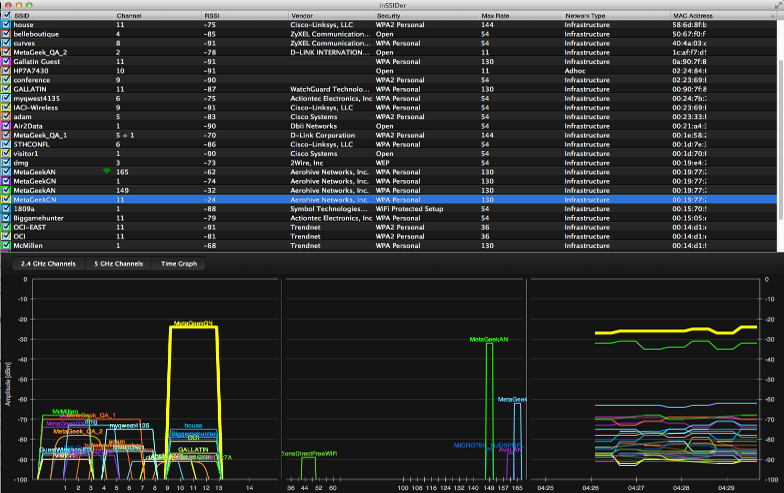
InSSIDer

InSSIDer – courtesy of MetaGeek

We use and recommend a couple of tools to help discover WiFi interference. InSSIDer for Home is a free program that run on Windows, Mac, or Android, and shows all of the WiFi Access Points in range of the computer and a pretty good estimate of the signal strength of those Access Points. (NOTE: It has recently been pointed out that getting InSSIDer for Home from the Mac App Store actually costs $4.99)

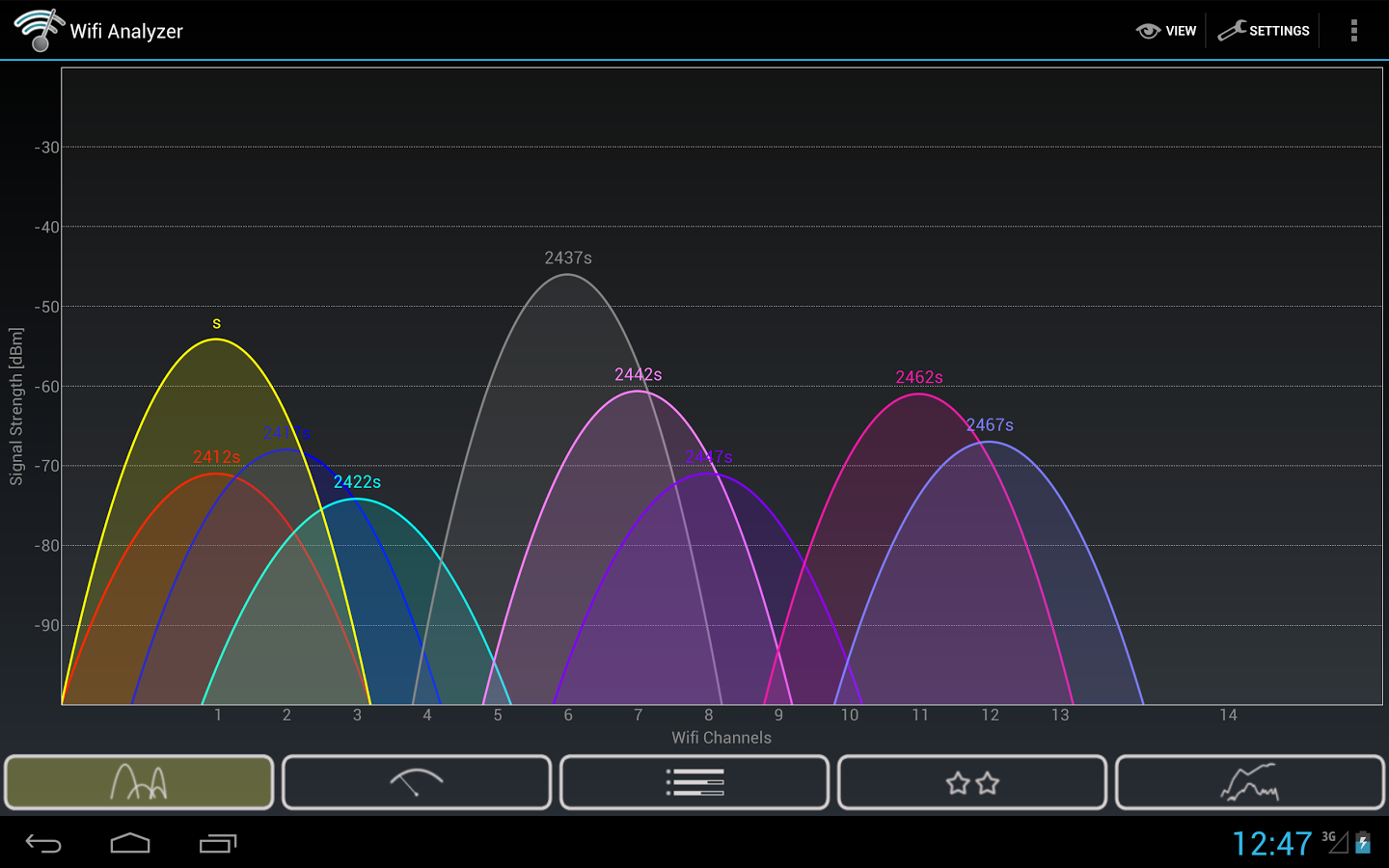
WiFi Analyzer

WiFi Analyzer for Android, Courtesy of farproc

WiFi Analyzer is another free app that runs on Android. It’s a little simpler and quicker than InSSIDer, and has become my “go-to” solution for taking a “quick look around” on my phone.

It’s worth noting that there is no analogous app for the iPhone because Apple doesn’t allow direct access to the WiFi card. However, there are similar apps available if your iPhone is jailbroken.

chanalyzer31sample

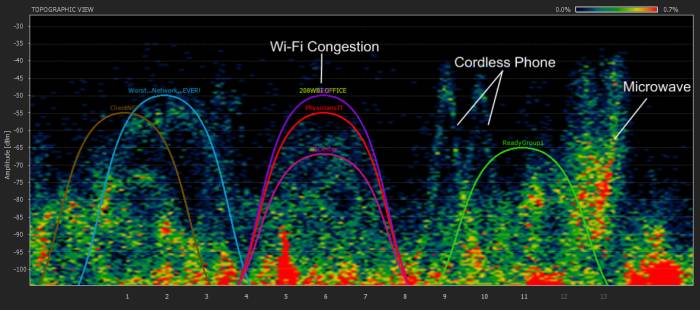
Chanalyzer Spectrum Analysis, courtesy of Metageek

Just to make it a bit more interesting, however, I have to point out one more fact: WiFi is far from being the only thing using the 2.4 GHz radio band. Cordless phones, baby monitors, wireless surveillance cameras, certain radars, and microwave ovens all use the same spectrum, so they can all potentially interfere with your WiFi. This is, in fact, precisely why Metageek gives away InSSIDer – they sell tools called “Spectrum Analyzers” – their “Wi-Spy” Spectrum Analyzers are excellent and relatively inexpensive. They can show not just WiFi interference, but all the interference in the 2.4 GHz. band. They even offer a very nice “Wi-Spy mini” bundled with their “InSSIDer for Office” product for only $199.

You probably won’t need a spectrum analyzer for your AyrMesh network. Out in the country there’s very little interference, and it takes a while to learn how to use a spectrum analyzer effectively, even with Metageek’s excellent software.

However, getting a copy of InSSIDer and/or WiFi Analyzer is something I recommend to everyone who’s curious about their local WiFi environment.

Great post on “Precision Ag Explained”

Not really Adam - just a picture I thought was funny.

Not really Adam – just a picture I thought was funny.

Adam Gittins of HTS Ag got an AyrMesh Hub2n a few weeks back, and he has published a great post about it on the outstanding blog “Precision Ag Explained.” The post helps explain how Wireless Farm Networking is going to drive better and more efficient farm operations in his view.

Here’s hoping we can see a lot more from him in the future – we really appreciate having someone of his experience and expertise writing about Ayrstone.

A different approach to WiFi cameras: Dropcam

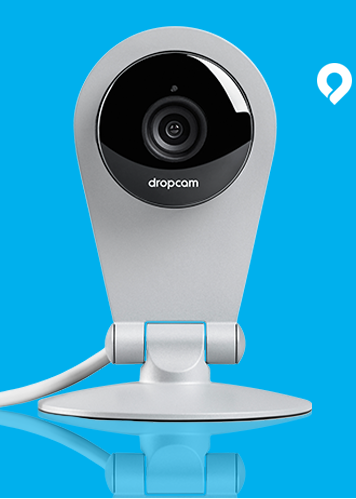
dropcamI have been using a Dropcam for about a year now and have been very impressed with it. It is a very low-cost WiFi IP camera that, instead of offering local viewing through a webserver on the device, automatically streams its video to Dropcam’s servers, where you can view the video from anywhere on the Internet.

Just to review, the way a “normal” IP camera works is that it has a webserver on the device, and you access that webserver in order to view the video from the camera. For instance, if you connect the camera to your router, you’ll check the router to find its IP address – let’s say, for instance, that it’s 192.168.1.47.

You then use a web browser to view http://192.168.1.47, and your camera shows up there. However, if you want to view  your camera from outside your network, you have to “port forward” a port to the web port on the camera. A number of factors can make that operation difficult.

The Dropcam does away with all of that, because the camera is only attached to your computer with a USB cable ONCE for configuration (it gets the WiFi configuration from your computer – mine uses the WiFi signal from my Remote Hub out in my workshop), then it joins your network and streams its video to dropcam.com. The camera and dropcam.com website have proven to be very reliable.

It is powered with a mini USB cable (5 volts), which is included, along with a wall plug USB power adapter.

Dropcam allows you to view the video from your camera for free on your dropcam.com account. If you want to record the video so you can go back and look at past video (e.g. for security purposes), they have inexpensive recording subscriptions.

montereyThey have a number of demo cameras set up – including a nice one looking out a window onto Monterey Bay in California. While I couldn’t find a demo camera on a farm, this gives you a nice idea of how good the picture is and what the interface looks like – very good, very easy to use.

The Dropcam is very good, but it’s far from perfect. The big advantages are:

  • Easy to set up and use
  • Small, lightweight, inexpensive
  • Transmits video AND audio – look and listen
  • IOS and Android apps for viewing cameras
  • Visible over the Internet, no port forwarding

However, it has a few very salient disadvantages:

  • Not suitable for outdoor use – indoor use only
  • No local access – you HAVE to be connected to the Internet to view the camera
  • Fixed lens – no telephoto, no wide angle, no point/tilt/zoom
  • A couple of seconds delay between the camera and the video stream

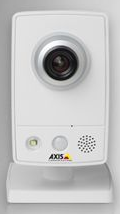
axis_indoorIf you have a place you want to keep an eye on, Dropcam is an excellent choice. The quality of the camera and picture is comparable to my “favorite” indoor camera, the Axis M1033-W. As you can see, although the camera has to be indoors, it does a nice job showing outdoor scenes if it can be placed inside a window.

Dropcam is, potentially, a very useful tool for your home and farm.


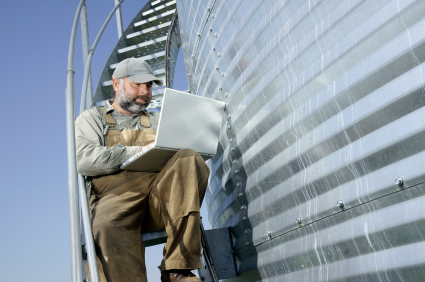
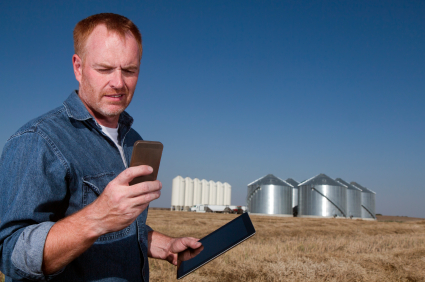
Farmer working on laptop

Wireless Farm Networking: what and why

A few years ago, we identified a real need in the agricultural market for more robust, internet-connected farm networks. This was driven by our work in precision agriculture; what we saw was that there was a glut of usable data that could be helping growers make better (and more profitable) decisions, but that data was mostly trapped on personal computers and in-cab monitors.

As we looked at this situation, we realized there were two equally important needs which were interrelated: the first is a comprehensive platform for turning all this raw data into actionable information, and the second was a facility for collecting the data and putting it to use. But there’s a “chicken and egg” problem here: if you don’t have the data, you can’t turn it into information, but there’s no good way to collect and use the data currently.

AyrMesh Hub

The AyrMesh Hub

So we decided to tackle the second problem: create an “Enterprise Network” for farmers and ranchers, so they could collect data from their farm operations effortlessly and use that data to make more informed decisions. We realized, of course, that a typical network was not going to work for the farm: everything is very far apart, so laying cable (or even fiber) is generally not a workable solution. Besides, the network should ideally encompass the tractors, sprayers, and harvesters out working in the fields, so wireless is the only option. This was the impetus that gave birth to the original AyrMesh Hub.

The idea was fairly simple: take some of the ideas used in the “Roofnet” project at M.I.T. and adapt them to building a low-cost wireless mesh network for farm use. The key requirements were:

  1. Use WiFi – other, proprietary mesh networks had been tried, but they require a wireless “client” device for anything you want to put on the network. Lots of things have WiFi today – it’s an easy, familiar, open technology
  2. Design the system for a farm – provide good bandwidth to relatively few “clients” spread over a very wide area. Most WiFi devices in the market today are designed for exactly the opposite: a metropolitan mesh network, where you have many people in a very small area and high bandwidth demands.

What we have seen is that, like all technologies, there is an adoption curve. The first step is the desire to use one’s Internet connection beyond the confines of the house. Especially with the advent of smartphones and tablet computers like the iPad, the ability to have instant information and communications everywhere you go on the farm can be a reality, even if cellular data is not available everywhere on your farm.

IP Camera

A WiFi Camera

The second step is connecting sensors to the network to “keep an eye out” on your farm. The most popular and demanded sensor, of course, is the IP camera. The ability to bring up a view of an area of your farm, whether to see the settings on the grain dryer, keep an eye on livestock (especially in the middle of the night), or as the basis for a security system, cameras seem to have a place on every farm. But, moving forward, putting network-connected environmental sensors in livestock buildings and distant fields can bring terrific pro

weather_station

A Weather Station at the edge of a field

ductivity gains. Knowing the temperature and humidity in your livestock barns can help optimize your HVAC usage, while knowing the wind and rainfall in a distant field can save a trip if it’s too windy or too wet to work.

Tractor cab

Lots of data here…

In addition, some of the precision agriculture vendors are starting to put WiFi into their in-cab monitors, so you can access the data on those monitors over the network instead of having to move cards or USB sticks around. Being able to access your “as applied” and harvest data allows you (or your agronomist) to much more easily determine your variable rate applications as you go through the season, potentially cutting your costs and maximizing your yield.

WebRelay

Network-controlled relay, courtesy controlbyweb.com

The third step is farm control: being able to actually get things done on the farm over the network. Grain dryers, pumps, irrigation systems, HVAC systems, and other equipment could be controlled over the network. This means that you can potentially control your grain dryer from the bedroom, or even while you’re running errands in town, since your network is connected to the Internet.

What we learned in the 1990s and 2000s when networks were becoming ubiquitous in the corporate world is that the presence of the network creates opportunities to improve the business in unexpected ways. We don’t pretend to know what all the uses are for a wireless farm network, but we’re very excited to see what they are. We’re here at the very beginning of farm networking, and the future is limitless.