Adam Gittins has published another terrific post on his Precision Ag Explained blog about problems he ran into getting his AyrMesh network up and running.
It reminds me that WiFi isn’t entirely straightforward, and some explanations of the vagaries are in order.
As Adam points out, interference is potentially a huge problem on WiFi. One problem is that the 2.4 GHz. WiFi band was partitioned out into 11 channels (in the U.S. and Canada), but most of those channels actually OVERLAP each other. There are only THREE DISTINCT CHANNELS: 1, 6, and 11 – all the other channels overlap at least one of these three (and each other). For a good explanation with graphics, I always recommend Wikipedia.
As he points out, if you have your “indoor” WiFi and your “outdoor” WiFi on the same channel, they’ll interfere with each other, reducing the range and bandwidth of both. Even if they are less than five channels apart this will happen to some degree. The AyrMesh network always comes by default on channel 6, so you can either change your home router’s channel to 1 or 11, or change the AyrMesh channel using your account on AyrMesh.com.
InSSIDer – courtesy of MetaGeek
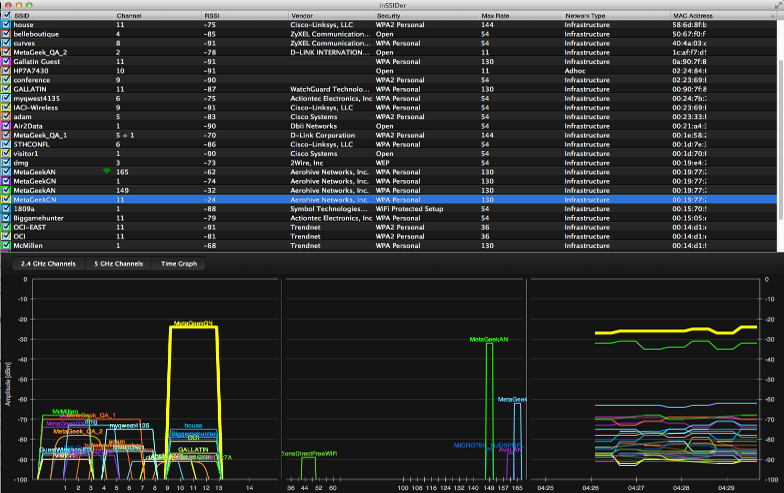
We use and recommend a couple of tools to help discover WiFi interference. InSSIDer for Home is a free program that run on Windows, Mac, or Android, and shows all of the WiFi Access Points in range of the computer and a pretty good estimate of the signal strength of those Access Points. (NOTE: It has recently been pointed out that getting InSSIDer for Home from the Mac App Store actually costs $4.99)
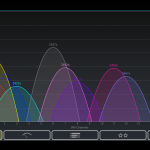
WiFi Analyzer for Android, Courtesy of farproc
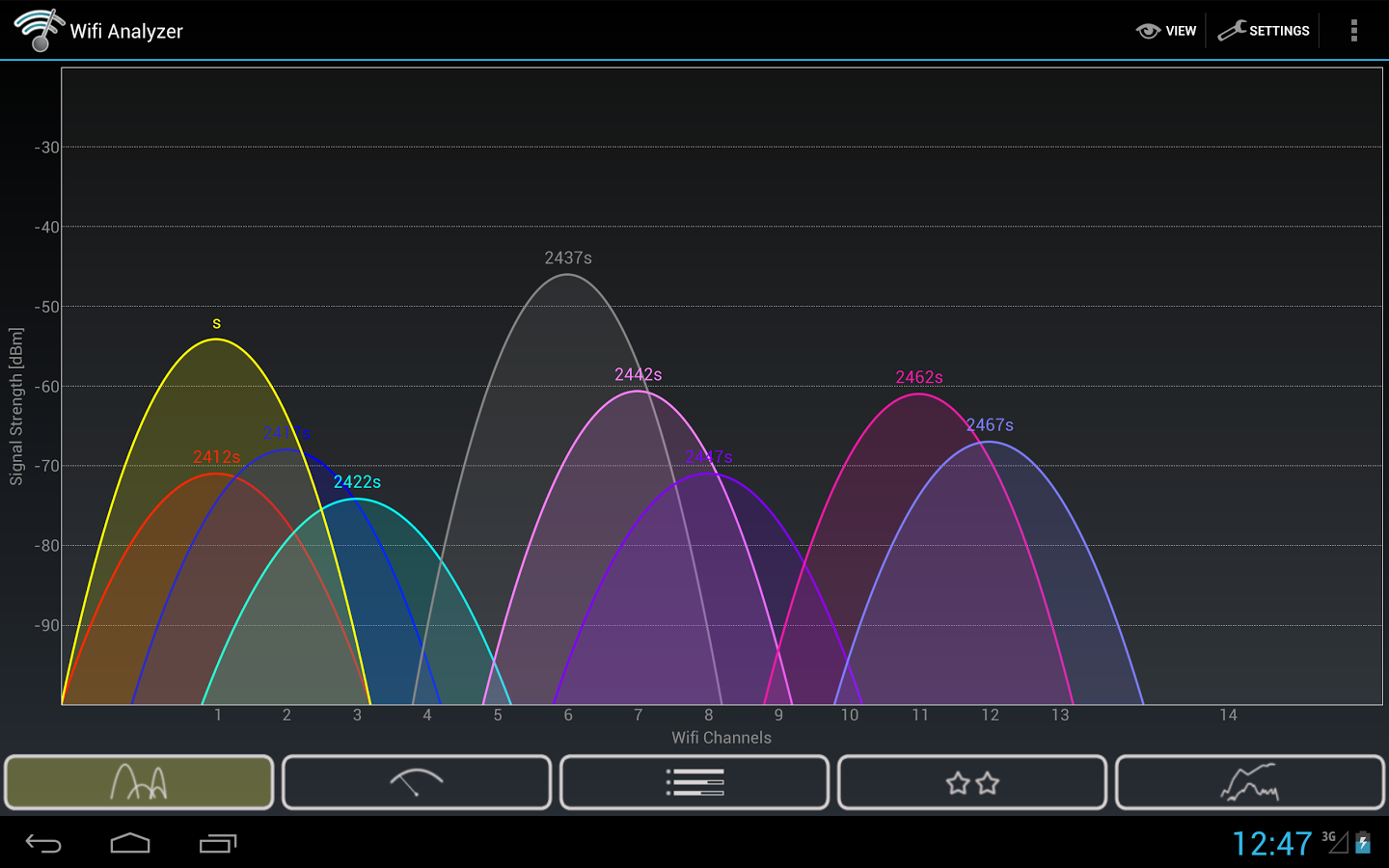
WiFi Analyzer is another free app that runs on Android. It’s a little simpler and quicker than InSSIDer, and has become my “go-to” solution for taking a “quick look around” on my phone.
It’s worth noting that there is no analogous app for the iPhone because Apple doesn’t allow direct access to the WiFi card. However, there are similar apps available if your iPhone is jailbroken.
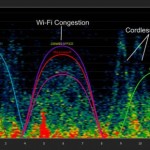
Chanalyzer Spectrum Analysis, courtesy of Metageek
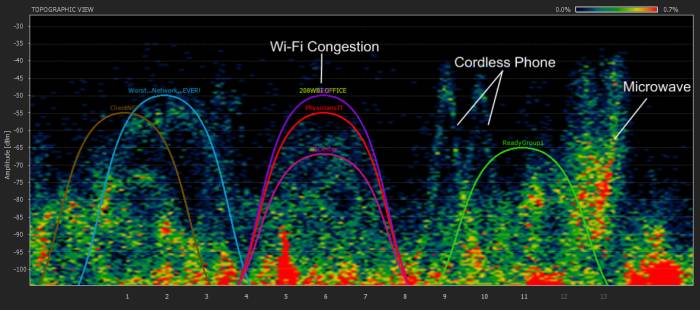
Just to make it a bit more interesting, however, I have to point out one more fact: WiFi is far from being the only thing using the 2.4 GHz radio band. Cordless phones, baby monitors, wireless surveillance cameras, certain radars, and microwave ovens all use the same spectrum, so they can all potentially interfere with your WiFi. This is, in fact, precisely why Metageek gives away InSSIDer – they sell tools called “Spectrum Analyzers” – their “Wi-Spy” Spectrum Analyzers are excellent and relatively inexpensive. They can show not just WiFi interference, but all the interference in the 2.4 GHz. band. They even offer a very nice “Wi-Spy mini” bundled with their “InSSIDer for Office” product for only $199.
You probably won’t need a spectrum analyzer for your AyrMesh network. Out in the country there’s very little interference, and it takes a while to learn how to use a spectrum analyzer effectively, even with Metageek’s excellent software.
However, getting a copy of InSSIDer and/or WiFi Analyzer is something I recommend to everyone who’s curious about their local WiFi environment.

 We were curious about that question ourselves, so we commissioned a survey of growers across the corn belt.